

Dubai Airbnb Listing Photos: An Owner’s Accuracy Checklist
Review Dubai Airbnb listing photos and descriptions: room coverage, views, shared amenities, image accuracy, channel checks and guest updates.
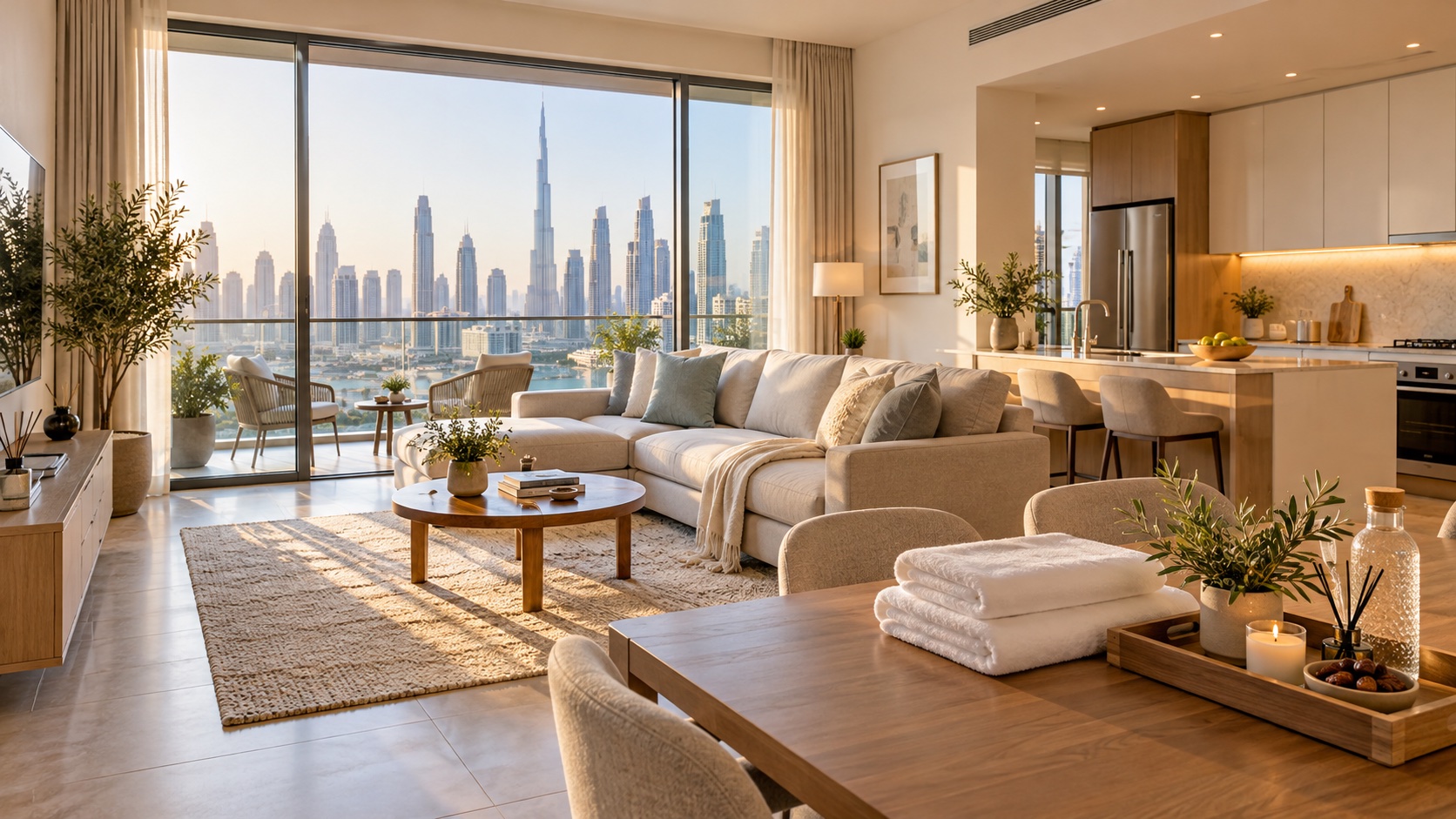
A Dubai apartment can look beautiful online and still leave a guest unsure about the basics: which bed they will sleep in, whether the balcony is private or how the kitchen connects to the living room. Before approving your listing, review the photographs and written details together.
When arranging Airbnb management in Dubai, agree who prepares the listing, who checks the facts and who approves publication. This owner review focuses on the promise made to the guest. A polished gallery is useful only when it represents the home they will actually receive.
1. Give the photographer a property brief
Prepare a short brief with the apartment identifier, room names, bed sizes, guest areas and items excluded from guest use. Include the balcony, workspace, bathrooms and storage arrangements. Your furnishing and inventory record is a useful starting point, but check that it reflects the current setup.
Agree the shoot date after furniture delivery, repairs and final preparation. If a replacement dining table is still on order, decide whether to wait or schedule an update. Photographing a temporary setup creates another task that someone must remember to close.
Confirm the photography fee, number of edited files, delivery format and permitted uses in writing. Ask whether the files can be used across your intended booking channels and what happens to access if the management agreement ends. Do not assume payment automatically gives unrestricted rights.
2. Review the gallery as a walk through the home
Start with the living area, then follow the route into each bedroom, bathroom, kitchen and outdoor space. Can a guest understand the layout without guessing? Ask for a wider context photograph when a sequence contains only decorative close-ups.
Use consistent room names across the brief, photo labels and listing description. If two bedrooms have similar furniture, identify which one has an en-suite bathroom or balcony access. Check that the images do not accidentally make a single space look like several separate rooms.
Airbnb’s photo-tour guidance explains that photos can be assigned to rooms and spaces, with details added for sleeping arrangements and amenities. Review those assignments after upload rather than assuming the automatic sorting is correct.
3. Check the details a guest will rely on
Compare the gallery against the guest capacity and sleeping arrangements. If a sofa bed is offered, ask for a photograph of it prepared for sleeping, plus an explanation of the effect on the living area. A closed sofa does not tell a family how their evening setup will work.
Check practical features such as the dining seats, desk, washing machine and kitchen equipment against the description. For a workspace, review what is actually supplied, including the chair and available surface. Avoid approving a feature simply because a decorative object suggests it exists.
Write down discrepancies in a review sheet with four columns: listing detail, current evidence, correction and responsible person. For example: “Second bedroom says king bed; inventory records a different size; manager to measure and correct before publication.” Keep unresolved details out of the final claims.
4. Describe Dubai views and shared amenities precisely
Review a view photograph from the position a guest can actually access. Ask whether it is taken from the apartment, a shared terrace or somewhere else in the building. Label the location clearly; a neighbourhood skyline image should not imply that the apartment has that view.
For a pool, gym, beach facility or parking space, confirm the current guest access arrangements with the relevant building or facility contact. Record opening restrictions, access-card arrangements and any conditions that affect the stay. Check these details for the specific property rather than borrowing wording from another apartment in the development.
Airbnb’s ground rules for home hosts require accurate property and amenity information, including disclosed access restrictions. Use a clear distinction between private apartment facilities, shared building facilities and nearby attractions.

5. Keep edits faithful and descriptions useful
Set an editing brief that preserves the room’s real features. Review the delivered files against the originals when a window view, room shape or furniture arrangement looks surprising. Ask for corrections before approving the upload.
Airbnb’s accuracy rules also address digital edits that conceal faults or add features the property does not have. Keep marketing illustrations separate from actual accommodation photographs. The image accompanying this editorial guide is an AI-generated illustration, not a photograph of a bookable StayinDubai property.
Write captions that resolve a question: which room is shown, whether a bathroom is en-suite or where an outdoor space is located. Avoid claims such as “silent”, “fully accessible” or “unlimited access” unless the facts support them.
Airbnb distinguishes captions from visual descriptions for listing photos. Visual descriptions should state what is visible objectively, helping guests who use screen readers or cannot load an image. Review these alongside the gallery.
6. Approve the guest-facing version on every channel
Ask for the public listing links once the upload is complete. Review the mobile presentation as well as a larger screen: image crops, room labels and the order of photographs can change what a guest notices. Check the address and map information through the platform’s appropriate guest and host views.
Compare the main facts across each active channel: capacity, beds, bathrooms, private and shared spaces, amenity restrictions and current photos. Assign one person to resolve differences and keep a dated approval record with the links reviewed.
Approval should record the exact correction, not simply “looks good”. A useful closeout note is: “Balcony caption corrected to private apartment balcony; shared pool hours added; public listing checked by owner and manager.” Keep the approved files and review sheet where the team can find them.
7. Recheck when the property changes
Make listing review part of the follow-up after furniture replacement, room reconfiguration or a change in building facilities. Ask the person closing a maintenance task whether it also requires a listing correction.
Airbnb notes that guests with pending or confirmed reservations do not see later description or amenity changes in the same way as new guests. Its guidance on updates after booking says to message upcoming guests immediately if an expected amenity is removed. Agree who handles those communications; editing a page alone does not complete the job.
If you are preparing a Dubai holiday home, contact StayinDubai to discuss listing preparation and management. Bring the current gallery, inventory and any building access conditions so the conversation starts with the property’s actual features.


